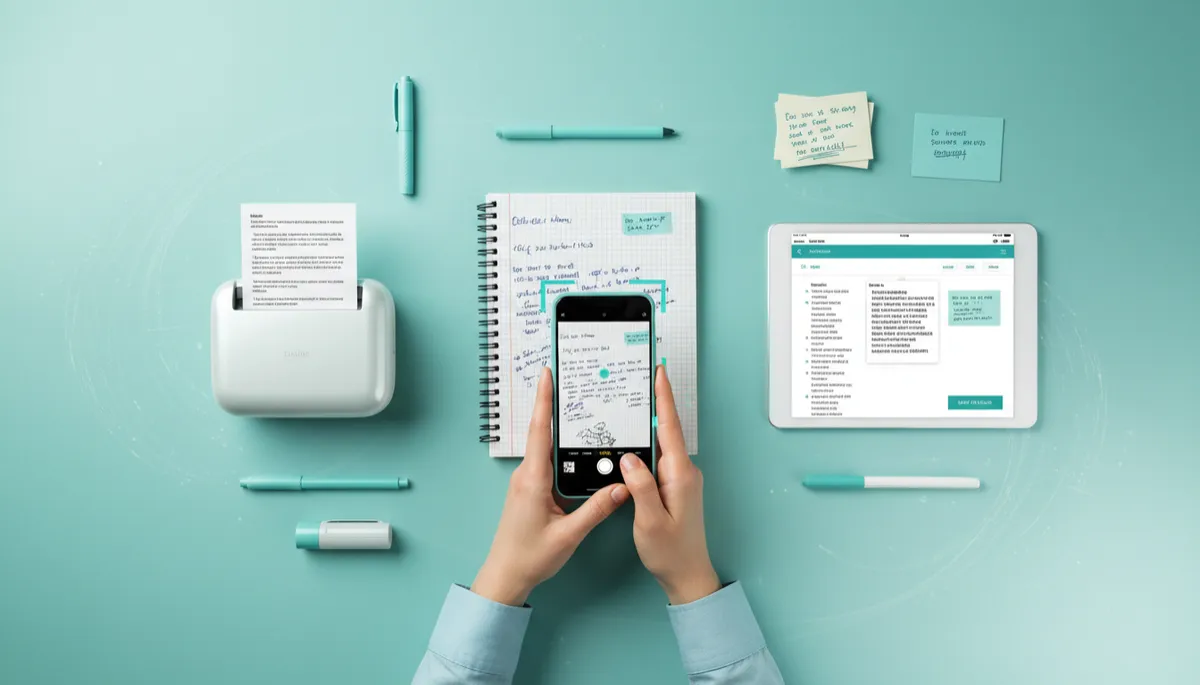
Best Way to Scan Handwritten Documents
Document Scanning, Handwritten Notes, Document Digitization
What Is the Best Way to Scan Handwritten Documents? A Friendly Step‑by‑Step Guide
Whether it’s your grandparent’s letters, your kid’s artwork, or a notebook full of business ideas, handwritten pages are some of the most personal documents you own. In this guide, we’ll walk through the best way to handle handwritten document scanning so you can preserve, organize, and share those pages with confidence.
Why Bother Scanning Handwritten Documents?
Let’s start with the “why.” Handwritten pages fade, tear, and get misplaced. Coffee spills, house moves, and simple clutter put them at risk. Handwritten document scanning gives you a digital backup so you can keep the original safe while still having easy access to the content whenever you need it. It’s a simple form of insurance for your memories and important records.
For many people in San Diego County, handwritten documents include medical notes, legal files, school records, and family history. At USA IMAGING, Inc., we see every day how much peace of mind people gain once their paper is safely converted through professional document digitization. You don’t have to worry about a single notebook going missing or a box of records getting damaged in storage.
What Is the Best Way to Scan Handwritten Documents?
The best way to scan handwritten documents balances three things: clarity, organization, and security. You want each page to be easy to read, simple to find later, and safely stored so it doesn’t fall into the wrong hands or get lost in a hard drive crash. That’s true whether you’re scanning a few personal letters at home or hundreds of patient charts for a medical practice.
Here’s the quick answer: Use a flatbed or high‑quality document scanner, scan to PDF at 300–400 dpi, clean and flatten each page, and name and organize your files consistently. For larger or sensitive collections, partnering with a professional service like USA IMAGING, Inc. ensures accuracy, confidentiality, and long‑term reliability.
Step‑by‑Step: The Best Scanning Process for Handwritten Documents
Step 1: Sort and Prepare Your Pages
Before you even touch the scanner, take a few minutes to organize. Group documents by person, year, project, or topic. Remove staples and paper clips, gently flatten folded corners, and brush away dust or crumbs. This small bit of prep makes the rest of the handwritten document scanning process smoother and helps prevent jams or crooked pages.
Step 2: Choose the Right Scanner and Settings
If you’re scanning just a few pages at home, a flatbed scanner or a good all‑in‑one printer can do the job. For thick notebooks, delicate archives, or large volumes, a dedicated document scanner—or a professional service—will save time and protect fragile originals. At USA IMAGING, Inc., for example, we use high‑resolution scanners that gently handle everything from thin notepaper to bound books.
Resolution: 300 dpi is usually perfect for handwritten notes; go up to 400 dpi for light or very small writing.
Color vs. grayscale: Use color for drawings, colored pens, or historical documents; grayscale is fine for simple black‑ink notes.
File format: PDF is best for multi‑page documents; TIFF or high‑quality JPEG can work for individual pages or photos.
💡 Pro Tip: If your scanner has an “auto enhance” or “text” mode, try it on a test page. It can make faint handwriting much easier to read.
Step 3: Scan Handwritten Notes Carefully, One Batch at a Time
When you scan handwritten notes, take it slowly enough to keep pages straight and in order. On a flatbed, align each page with the corner guides. On a feeder‑style scanner, tap the stack on a flat surface so edges line up, and don’t overload the tray. After each batch, quickly flip through the digital pages to make sure nothing is missing, cut off, or upside down.
In our San Diego facility, our team double‑checks each scan as part of our quality‑control process. That attention to detail is one of the reasons individuals and families trust USA IMAGING, Inc. with treasured handwritten journals, diaries, and family paperwork that can’t be replaced.
Step 4: Clean Up and Enhance Your Scans
Once your handwritten pages are digitized, a little cleanup goes a long way. Many scanning apps and desktop tools let you rotate, crop, and adjust contrast. Straighten tilted pages, trim away dark borders, and gently increase contrast so the writing stands out. Just be careful not to over‑edit; you still want the page to look natural and true to the original.
Step 5: Organize Your Digital Files for the Long Term
Great document digitization isn’t just about the scan—it’s about how easy it is to find things later. Create clear folders such as “Family Letters,” “Medical Notes,” or “Business Ideas.” Then use consistent file names like 2024‑04‑Dr‑Smith‑Visit‑Notes.pdf or Grandma‑Letters‑1990s‑Set‑1.pdf. When USA IMAGING, Inc. works with individuals and small businesses, we help set up logical folder structures so your new digital archive actually feels usable, not overwhelming.
Handwritten Document Scanning vs. Taking Photos with Your Phone
It’s tempting to just snap a quick picture of a page with your phone. While that’s fine in a pinch, it’s not ideal if you truly want to preserve and organize your notes. Photos often end up with shadows, glare, or curved pages. They’re also harder to combine into clean, multi‑page PDFs, and the file names tend to be random camera numbers instead of something meaningful.
Dedicated handwritten document scanning—either with a good home scanner or through a professional service—gives you:
Higher, more consistent resolution for easier reading and printing.
Straight, properly cropped pages without distracting backgrounds.
Organized PDFs that behave like digital “books” or files, not random photos.
Can Handwritten Notes Be Searchable After Scanning?
One of the biggest questions people have about document digitization is whether they can search handwritten text the way they search typed PDFs. The answer is: sometimes. Software called OCR (Optical Character Recognition) can “read” some handwriting, especially if it’s neat and consistent. But messy or cursive writing can be challenging, and results vary a lot.
At USA IMAGING, Inc., we can apply OCR where it makes sense and clearly label files and folders to make browsing easier even when handwriting isn’t fully searchable. For critical records—like medical charts that must meet HIPAA requirements—we focus on accuracy and confidentiality first, then add search features in a way that doesn’t compromise security or reliability.
When to DIY and When to Call a Professional Scanning Service
If you only have a few pages to scan—maybe a couple of recipes or a short letter—doing it yourself is perfectly reasonable. But there are times when professional handwritten document scanning is worth every penny, especially for residents and businesses in San Diego County who need secure, reliable results.
You have boxes of notebooks or files. High‑speed scanners and experienced staff can handle large volumes in a fraction of the time it would take at home.
Your documents are sensitive. Medical notes, legal records, and financial documents should be handled by a HIPAA‑aware, security‑focused partner like USA IMAGING, Inc.
Your originals are fragile or irreplaceable. Professional equipment and careful handling protect delicate paper from damage.
📌 Key Takeaway: DIY is fine for a handful of pages. For large, sensitive, or priceless handwritten collections, a trusted local specialist keeps your project safe, accurate, and stress‑free.
Keeping Your Digital Handwritten Archive Safe and Accessible
Once you’ve scanned your handwritten notes, the final step is protecting those new digital files. Store copies in at least two places—such as an external hard drive and a secure cloud service. For especially sensitive records, use password‑protected folders or encrypted storage. USA IMAGING, Inc. helps clients choose storage options that balance convenience with strong security practices, so personal or business information stays private.
It’s also a good idea to review your digital archive once or twice a year. Make sure your backup drive still works, your cloud login is up to date, and your folder structure still makes sense for how you live and work today. A tiny bit of ongoing attention keeps your scanned handwritten documents useful instead of forgotten.
Ready to Scan Your Handwritten Documents? Here’s Your Next Step
Handwritten pages carry stories, ideas, and information you can’t afford to lose. Now you know the best way to scan handwritten documents: prepare your pages, use the right scanner settings, follow a careful process, and keep everything organized and backed up. With a little planning, you can turn boxes of paper into a clean, searchable digital library you’ll actually enjoy using.
If you’re in San Diego County or the surrounding area and you’d rather not tackle it alone, USA IMAGING, Inc. is here to help. Since 1991, we’ve specialized in secure, accurate document digitization for both families and businesses, including detailed handwritten document scanning projects. Our team treats every page with care, from school notebooks to medical charts, while maintaining strict confidentiality and compliance standards.
Ready to protect your handwritten notes and bring order to your paper world? Reach out to USA IMAGING, Inc. today to Get a Quote and discover how easy it can be to scan handwritten notes and turn them into secure, organized digital files you can trust for years to come.


