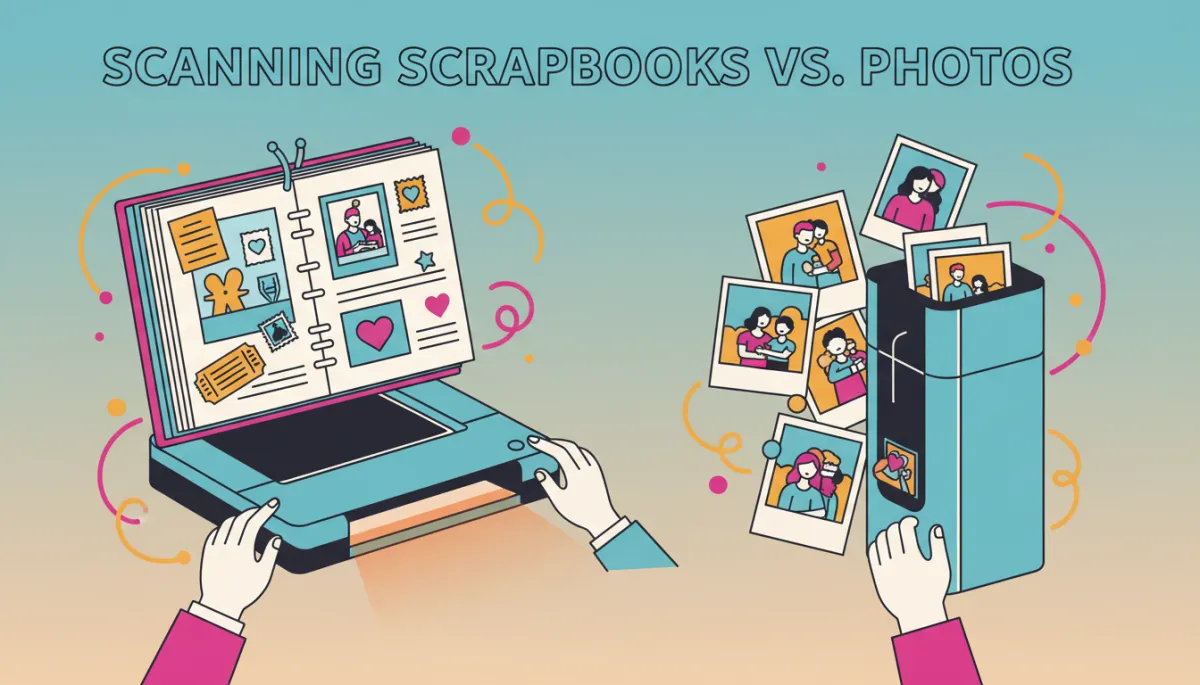
Scanning Scrapbooks vs. Photos: Best Choice?
Scrapbook Scanning, Photo Scanning, Family Memories
Scanning Scrapbooks vs. Scanning Individual Photos: Which Is Better?
If you have shelves full of family scrapbooks and shoeboxes of loose prints, you might be wondering: should you scan the whole scrapbook page, or focus on Photo Scanning each picture one by one? Let’s walk through both options so you can confidently choose what works best for your memories, your time, and your budget.
Why Digitize Your Scrapbooks and Photos at All?
Scrapbooks and photo albums are some of the most treasured items in any home—but they’re also some of the most fragile. Paper fades, adhesives dry out, and one spilled drink or unexpected move can damage years of careful work. Digitizing through Scrapbook Scanning or Photo Scanning helps you:
Protect originals from handling, sunlight, and accidents
Share memories easily with family across the country or around the world
Create slideshows, photo books, and digital archives for future generations
For families and businesses in San Diego County, companies like USA IMAGING, Inc. make this process easier by turning physical keepsakes into organized, secure digital files—so your history is safe, searchable, and ready to enjoy anytime.
What Is Scrapbook Scanning?
Scrapbook Scanning involves capturing each page of your scrapbook as a high-resolution digital image. Instead of removing photos, stickers, and memorabilia, the entire layout is scanned as one piece. This method preserves not just the pictures, but the story you told with them—handwritten notes, ticket stubs, pressed flowers, and all those creative design choices that make your scrapbook unique.
Pros of Scanning Whole Scrapbook Pages
Preserves the full layout and story. You keep the original context—captions, doodles, and decorations all appear exactly as you designed them.
No need to remove fragile items. Older scrapbooks can be delicate. Scanning the whole page avoids peeling photos off brittle pages or damaging glued items.
Faster for large albums. One scan per page is often quicker than handling every single photo, especially if you have multiple scrapbooks.
Things to Consider with Scrapbook Scanning
File size and detail. Scanning full pages at high resolution can create large files. A professional scanning service can help balance quality and file size so your images are crisp without overwhelming your storage.
Individual photos are not separated. If you later want a single picture from a page, it may need to be cropped out of the page scan, which can limit how large that individual image can be printed.
Page size and thickness. Some scrapbooks are oversized or very thick. At USA IMAGING, Inc., specialized equipment and careful handling are used to scan these pages without forcing them flat or damaging bindings.
💡 Friendly Tip: If you love your layouts just the way they are, Scrapbook Scanning is often the best way to capture that creative work forever.
What Is Photo Scanning?
Photo Scanning focuses on each picture as its own digital file. Instead of scanning the whole scrapbook page, photos are carefully removed (when safe to do so) or scanned individually if they’re loose. Each image becomes a separate file that can be labeled, organized, and edited on its own.
Pros of Scanning Individual Photos
Maximum flexibility. Individual files are perfect for reprinting, sharing on social media, creating new albums, or making custom gifts like calendars and photo books.
Better control over quality. Each photo can be scanned at an optimal resolution, and professionals can adjust color, contrast, and orientation per image during the Photo Scanning process.
Easier organization. You can sort photos into digital folders by year, event, or family member. Services like USA IMAGING, Inc. can help you label and structure your files so they’re easy to find later.
Things to Consider with Photo Scanning
More hands-on work. Removing photos from albums or scrapbooks takes time and care. A professional service can handle this gently, but it’s still a more detailed process than scanning full pages.
Original layout is not preserved. You’ll keep the images, but not the exact way they were arranged together with notes and decorations—unless you also photograph or scan the pages separately.
Potential adhesive issues. Very old or strongly glued photos may not be safe to remove. In those cases, a combination of Scrapbook Scanning and selective Photo Scanning is often recommended.
💡 Friendly Tip: If you plan to make reprints, slideshows, or share specific images often, individual Photo Scanning gives you the most options.
Scrapbook Scanning vs. Photo Scanning: How to Decide
So which approach is better—Scanning Scrapbooks or Scanning Individual Photos? The honest answer is: it depends on what matters most to you. Here are a few friendly questions to help you decide:
Do you care more about the layout or the individual images? If the creative design, stickers, and handwritten captions are important, prioritize Scrapbook Scanning. If you mainly want high-quality copies of each photo, Photo Scanning may be the better fit.
How do you plan to use the digital files? For reprints, gifts, and editing, individual Photo Scanning shines. For digital “flip books” that look like your original albums, whole-page Scrapbook Scanning is ideal.
What is your timeline and budget? Scanning entire scrapbook pages is often faster and can be more cost-effective per page. Detailed Photo Scanning may take longer but offers more flexibility later.
📌 Key Takeaway: Many families choose a blended approach—Scrapbook Scanning to preserve layouts, plus Photo Scanning for the most meaningful images they know they’ll reuse.
A Combined Strategy That Works for Most Families
You don’t have to choose just one method. In fact, a combination of Scrapbook Scanning and Photo Scanning often gives you the best of both worlds. Here’s a simple approach that works well for many people in San Diego and beyond:
Step 1: Scan every scrapbook page. This preserves the full story and ensures that nothing is lost, even if an original page is damaged later.
Step 2: Choose your “must-have” photos. Pick the standout images—wedding portraits, baby milestones, graduation shots—and have those individually scanned at a higher resolution for reprints and projects.
Step 3: Organize digital folders. Work with your scanning provider to group files by album, year, or event. USA IMAGING, Inc. specializes in turning stacks of paper and photos into clean, clearly labeled digital archives that are easy to navigate.
This blended method respects the artistry of your scrapbooks while giving you the freedom to use individual images however you’d like—today and years from now.
Why Work with a Professional Scanning Service?
You can certainly do some basic scanning at home, but when you’re dealing with irreplaceable family scrapbooks, it’s understandable to want extra peace of mind. A professional provider like USA IMAGING, Inc., trusted in San Diego since 1991, offers:
Careful, secure handling. Your scrapbooks and photos are treated as one-of-a-kind items, with secure tracking and procedures that respect confidentiality and privacy, including HIPAA-compliant processes where needed.
High-quality equipment. Professional scanners capture detail and color more accurately than most home devices, whether you choose Scrapbook Scanning, Photo Scanning, or both.
Organized, searchable results. Instead of a jumble of files, you receive a clear, consistent folder structure and file naming system so you can quickly find the memories you’re looking for.
💡 Friendly Tip: Ask your provider how they back up your digital files. At USA IMAGING, Inc., reliability and accuracy are core values, and that includes safe digital delivery options.
Bringing Your Memories into the Digital Age
Whether you choose Scrapbook Scanning, Photo Scanning, or a thoughtful mix of both, the most important step is simply getting started. Every scrapbook you digitize is one more chapter of your family’s story protected from time, accidents, and everyday wear and tear. And once those memories are digital, you can enjoy them in new ways—on your TV, in printed photo books, or shared with relatives who may never have seen the original albums.
If you’re in San Diego County or the surrounding area and feeling a little overwhelmed by the thought of tackling this project alone, USA IMAGING, Inc. is here to help. With decades of experience in document scanning, digital conversion, and secure handling, our team treats your family scrapbooks and photos with the same care we bring to sensitive business records. Our goal is simple: to make it easy, safe, and even enjoyable to bring your memories into the digital age.
Ready to explore the best option for your albums and photos? Reach out to USA IMAGING, Inc. today to talk through Scrapbook Scanning, Photo Scanning, or a custom combination that fits your collection and your goals. Your memories deserve to be preserved with care—and we’d be honored to help you do just that.
👉 Call to Action: Have questions about scanning your scrapbooks or photos? Get a Quote from USA IMAGING, Inc. and discover a secure, professional way to preserve your favorite moments.


